
TuneFab Spotify Music Converter2.9.9 - Download
You'll be able to download in few seconds.
Publisher Description
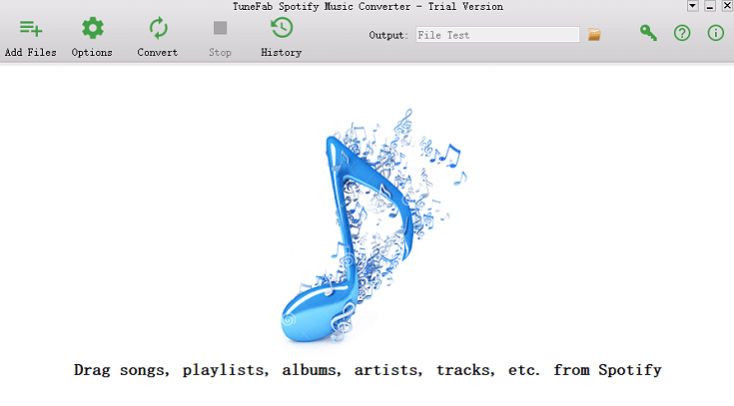
Although you have subscribed to Spotify Premium plan and are able to enjoy more features than Spotify Free users, there are still some restrictions on using Spotifys music streaming service freely. For example, Spotify Premium user can only download and save Spotify songs on 5 authorized devices. To break these restrictions, you can use TuneFab Spotify Music Converter to free Spotify Music from DRM protection.
1.Remove DRM from Spotify OGG Songs
To protect the songs in Spotify from being copied and transferred, Spotify has added the DRM encryption to all music files even they are encoded in an open source OGG format. TuneFab Spotify Music Converter is developed to deal the DRM removal of the Spotify songs smoothly.
2.Convert Spotify Songs into MP3/M4A/WAV/FLAC
Except for DRM removal, TuneFab Spotify Music Convert is able to convert the file format of Spotify songs to more common ones such as MP3, M4A, WAV, FLAC.
3.Preserve Spotify Songs Information
Do not worry that you would loose all the song information of the Spotify Music. TuneFab Spotify Music Converter could preserve the song information completely, including ID3 tags and metadata.
4.High Conversion Speed and Lossless Quality
TuneFab Spotify Music Converter provides the high conversion speed for better music converting experience. Users could get DRM-free Spotify Music with high efficiency but guaranteed quality.
5.Detail Information About TuneFab Spotify Music Converter (Windows)
The latest version: V.2.9.9
Operating system: Windows 10/8.1/8/7 (32 64bits)
Supported input format: Spotify OGG format
Supported output format: MP3, M4A, WAV, FLAC
About TuneFab Spotify Music Converter
This Rippers & Converters program is available in English, Chinese, ChineseSimplified, ChineseTraditional. It was last updated on 02 November, 2026. TuneFab Spotify Music Converter is compatible with the following operating systems: Other, Windows.
The company that develops TuneFab Spotify Music Converter is TuneFab Software Inc. The latest version released by its developer is 2.9.9.
The download we have available for TuneFab Spotify Music Converter has a file size of 44.0 MB. Just click the green Download button above to start the downloading process. The program is listed on our website since 2020-07-22 and was downloaded 0 times. We have already checked if the download link is safe, however for your own protection we recommend that you scan the downloaded software with your antivirus. Your antivirus may detect the TuneFab Spotify Music Converter as malware if the download link is broken.
How to install TuneFab Spotify Music Converter on your Windows device:
- Click on the Download button on our website. This will start the download from the website of the developer.
- Once the TuneFab Spotify Music Converter is downloaded click on it to start the setup process (assuming you are on a desktop computer).
- When the installation is finished you should be able to see and run the program.
Program Details
General
System requirements
Download information
Pricing
Version History
version 2.9.9
posted on 2020-07-22
1. Added support for adjusting album artwork size.
version 2.8.9
posted on 2020-04-15
1. Fixed: Converted FLAC files don't play properly. 2. Fixed: Converted songs don't show metadata tags in Windows 7.
version 2.7.9
posted on 2019-10-18
1. Fixed: A problem that TuneFab cannot convert songs which has special characters added to the album title.
version 2.7.3
posted on 2019-07-04
1. Fixed an audio bug. 2. Added: An option to display Track ID in the output file. 3. Added: An option to sort output files into Folders by tags like Artist and Album.
version 2.5.7
posted on 2018-08-17
1. Add the ability to store Disc Number in output file.
2. Correct some text mistakes.
Disclaimer
External Download
We do not host TuneFab Spotify Music Converter on our servers. We did not scan it for viruses, adware, spyware or other type of malware. This app is hosted by the software publisher and passed their terms and conditions to be listed there. We recommend caution when installing it.
The external download link for TuneFab Spotify Music Converter is provided to you by apps112.com without any warranties, representations or guarantees of any kind, so access it at your own risk.
If you have questions regarding this particular app contact the publisher directly. For questions about the functionalities of apps112.com contact us.
